

Just Send the WAV? The Delivery Specs Audiobook, Dubbing and Radio Clients Actually Write Down
“Just send a WAV” sounds simple until the file bounces. Audiobook stores, streaming dubbing teams and radio networks all publish exactly what they want: the sample rate, how long a file may run, how much silence goes at each end, and what to call it. Here’s what they actually say, side by side, with a checklist to keep by the mic.
Most voice actors meet delivery specs the hard way. A file comes back from a platform’s quality check, or a producer writes back asking for “48k, not 44.1”, and suddenly a finished job needs another evening. The frustrating part is that the rules were there all along. They’re just spread across help pages, PDFs and commissioning sites that nobody reads until something goes wrong.
So we read them. This guide pulls together the published delivery requirements from ACX (Audible’s audiobook production platform), Spotify for Authors, Google Play Books, Netflix’s dubbing guidelines and BBC Radio commissioning. Loudness gets only a passing mention here, because we covered those numbers in detail in our guide to the loudness targets in your briefs. This one is about everything else that decides whether a file gets accepted: the format, the sample rate, the chapter split, the silence at the ends and the name on the file.
Two sample rates, and which world uses which
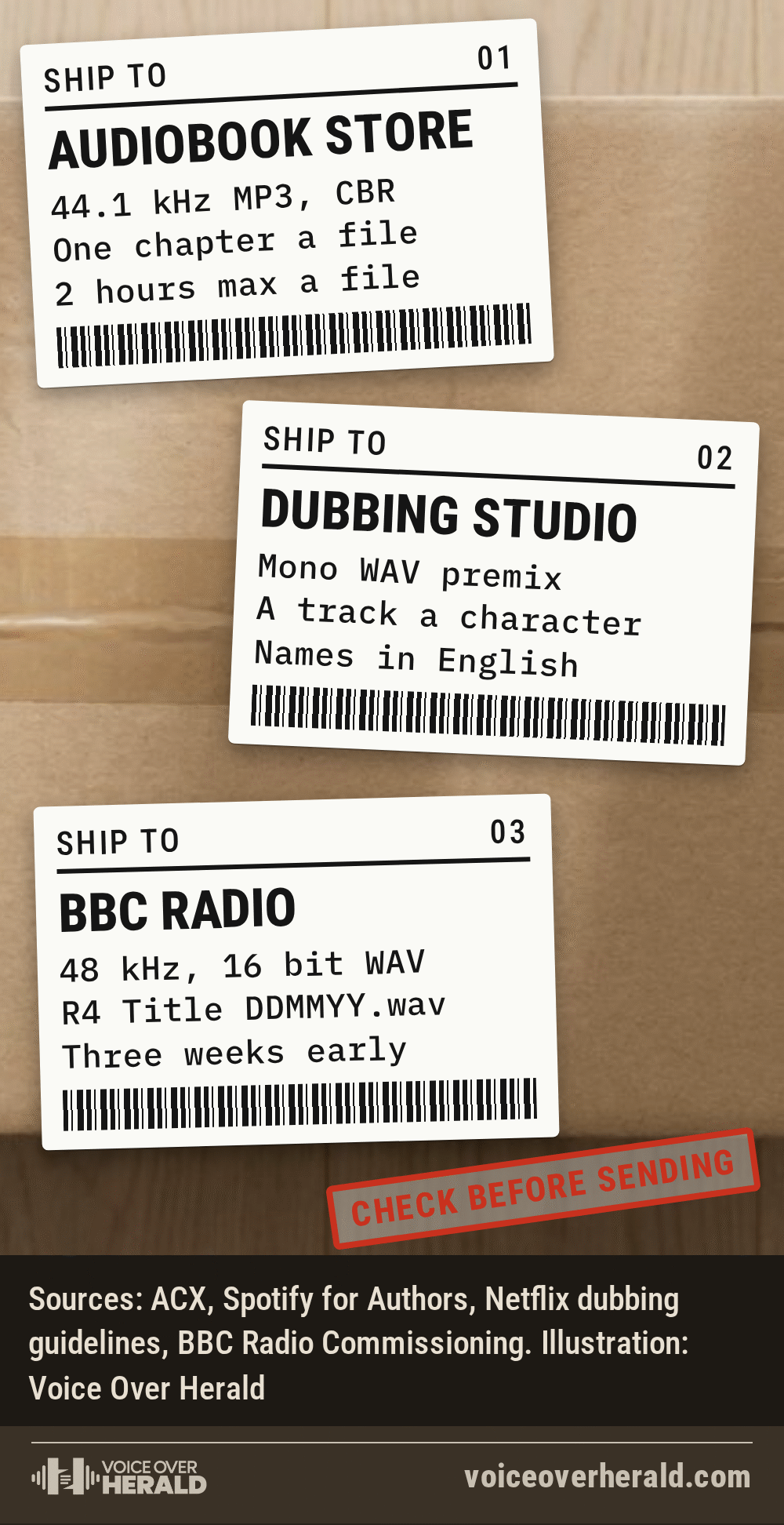
The first thing to know is that the audio world splits in two. Audiobook platforms work at 44.1 kHz. Broadcast and screen work runs at 48 kHz.
ACX’s requirement is blunt: “Each file must be a 192 kbps or higher CBR, 44.1kHz MP3.” Spotify for Authors says in its Metadata and Assets Guide that MP3 files are preferred but it also takes WAV and FLAC, with MP3 at “192 kbps or higher, CBR preferred, 44.1 kHz and 16 bit” and WAV at “44.1 kHz and 16 bit”. Google Play Books sets a floor rather than a fixed number: WAV must be “PCM encoded, 16 bits/sample, >=44.1 KHz sampling rate”.
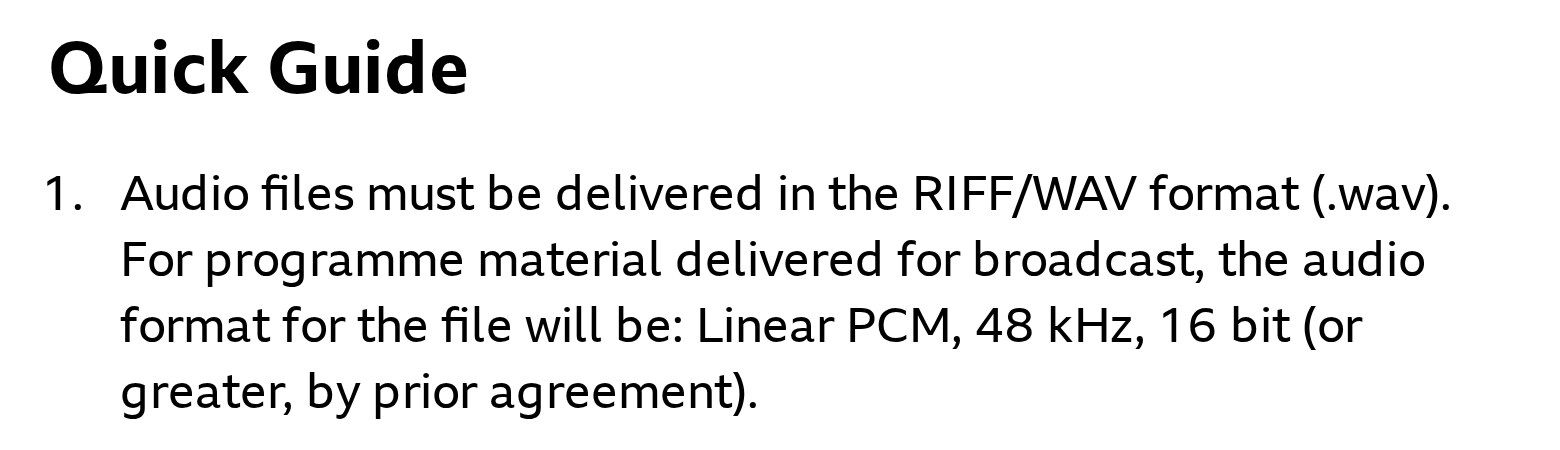
Radio and picture are different. The BBC’s radio technical specification says files “must be delivered in the RIFF/WAV format (.wav)” and that the audio format “will be: Linear PCM, 48 kHz, 16 bit (or greater, by prior agreement).” Netflix’s dubbing guidelines don’t print a single sample rate for every show. They tell studios to make sure “sample rate, bit rate, frame rate, and the file format have the same parameters of the Original Version mix deliverables”, and the session file name they ask for carries the tag “48k24b”, which is 48 kHz at 24 bit.
The practical lesson: set your session to the rate of the job before you press record, and keep an uncompressed master. ACX and Spotify both want constant bit rate (CBR) MP3s, so export the MP3 last, from the WAV, never from another MP3.
Audiobooks: one chapter, one file, a little air at each end
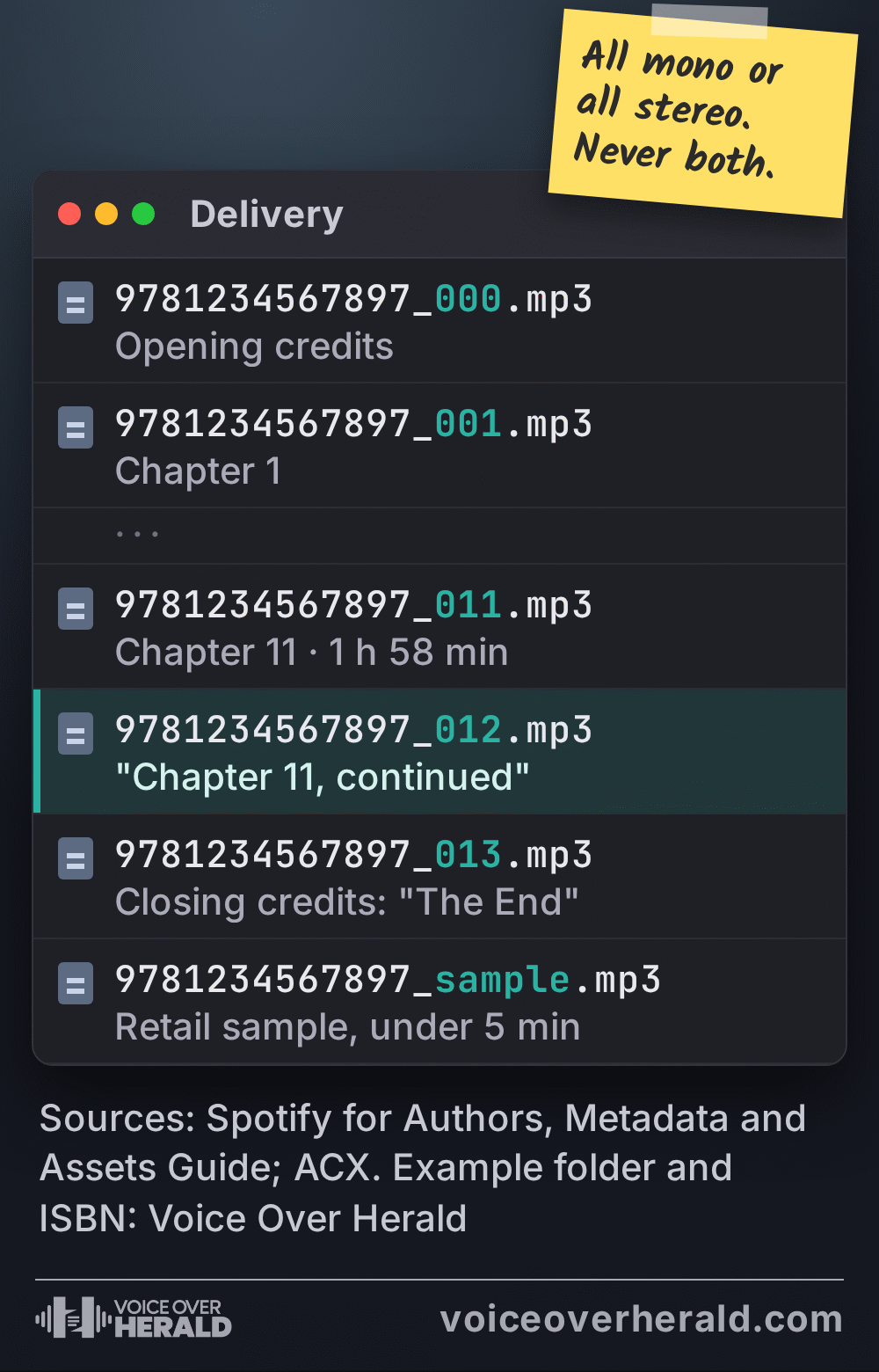
Audiobook platforms agree on more than they disagree. Each chapter is its own file. ACX says “Each file must contain only one chapter or section” and “Each file must be no longer than 120 minutes.” Spotify uses the same two-hour ceiling and adds a tidy fix for very long chapters: “If a chapter is longer than two hours, split by introducing the next file as ‘Chapter X, continued.'”
Both also want the chapter announced out loud. ACX says “Each file must include the section header”, and Spotify says “Each chapter should start with a verbal indication that it is a new chapter”. Spotify adds a consistency rule that catches people out: files “should all have chapter headings or no chapter headings, but not a combination of both”.
| Requirement | What each platform publishes |
|---|---|
| Formats | ACX: MP3 only. Spotify: MP3 preferred, also WAV and FLAC. Google: MP3, AAC, FLAC or WAV. |
| MP3 | ACX: 192 kbps or higher, CBR, 44.1 kHz. Spotify: 192 kbps or higher, CBR preferred, 44.1 kHz, 16 bit. Google: 128 kbps or more mono, 256 kbps or more stereo, CBR preferred. |
| Longest file | ACX: 120 minutes. Spotify: 2 hours. Google: sets the whole book at 5 minutes to 100 hours. |
| Silence at the start | ACX: 1 to 5 seconds recommended. Spotify: 0.5 to 1 second. Google: not stated. |
| Silence at the end | ACX: 1 to 5 seconds recommended. Spotify: 1 to 5 seconds. Google: not stated. |
| Retail sample | ACX: 5 minutes or less. Spotify: 5 minutes maximum, no music or credits. Google: not stated. |
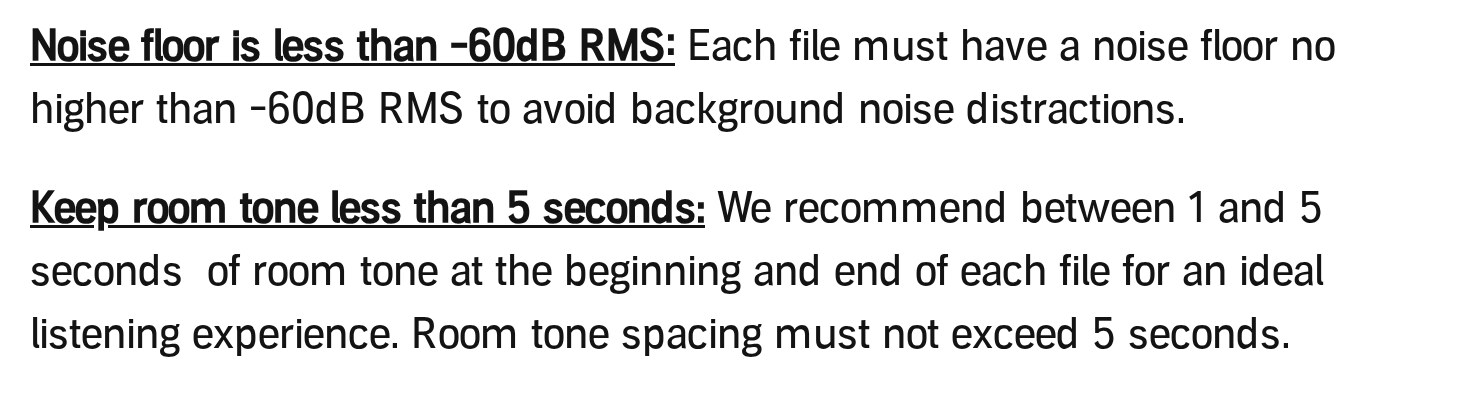
Then there’s the room tone at the head and tail of every file. ACX recommends “between 1 and 5 seconds” at the beginning and end and says “Room tone spacing must not exceed 5 seconds.” Spotify is tighter at the front: “Head time should be within .5 to 1 second, the tail should be between 1 to 5 seconds”. If you’re publishing to both, a head of about one second and a tail of two or three sits inside both sets of rules.
Screenshot: ACX, Audio Submission Requirements, help.acx.com, 15 November 2026
Credits are their own files on Spotify. Opening credits “must be included, and include only the title and author/narrator names”, and closing credits “must reference the completion of the book (e.g. ‘The End’).” ACX puts it in fewer words: “Closing Credits must indicate finality.” Both cap the retail sample at five minutes, and Spotify says it “May NOT contain music, audiobook credits, or explicit content”.
One more rule worth knowing before you mix: all files in a book must match. ACX says “All files must be in the same channel format (all mono or all stereo)”, and Spotify says files “may be in Mono or Stereo but not a combination of both”.
Dubbing: a track for every character
Dubbing work turns the audiobook logic sideways. Instead of one file per chapter, it’s one track per character. Netflix’s Dubbing Premix Recording and Delivery Guidelines say: “Unless you are provided with a track sheet, record each character in a separate track.” Small characters, up to five lines each, can share a track as long as their lines don’t overlap.
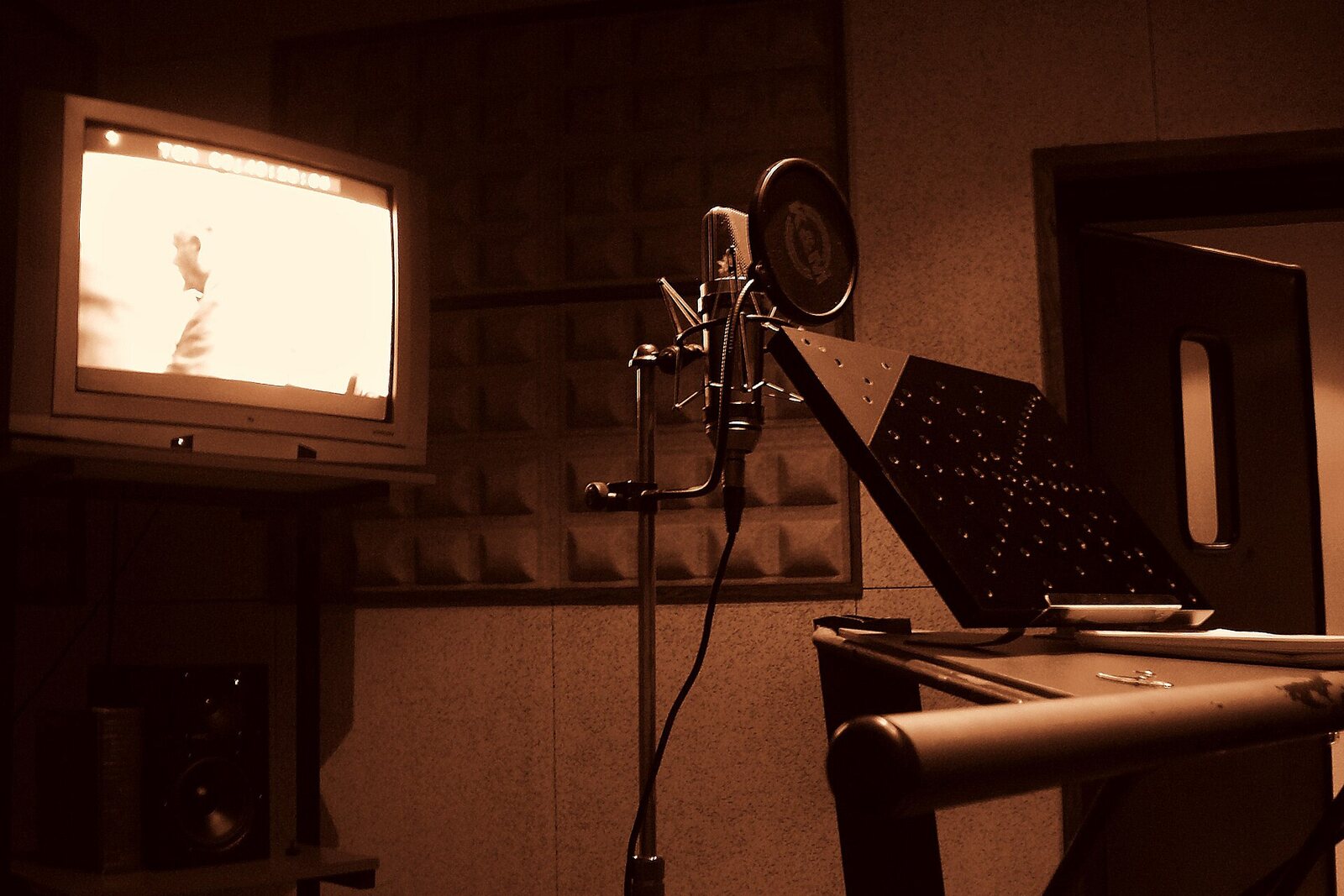
A dubbing room, Sala 5 at Sonygraf, 2008. Photo: Andres Moreno, CC BY 2.0, via Wikimedia Commons (cropped)
The naming rule is practical and strict: “Name each track with the character’s name IN ENGLISH”, with no symbols or accents. The guidelines ask for consistent levels too, “the same level between lines and characters”, and for the finished premix a “mono WAV file containing all the premix dialogue units”. For quiet, whispered lines, they suggest getting closer to the mic so the room doesn’t come up with the voice.
If you’re recording dubbing from home for a studio, ask for the track sheet before the session. It tells you how the studio wants characters split, and saves a round of renaming afterwards.
Radio: the date goes in the file name
Broadcast radio cares about the file name as much as the audio, because a scheduler has to find your file weeks before it airs. The BBC’s specification says Radio 4 files “must include the Network, Programme Title and transmission date e.g. ‘R4 Programme Name DDMMYY.wav'”, with the episode number added for a series.
Screenshot: BBC Radio Commissioning, Technical specification, bbc.co.uk, 15 November 2026
The audio itself should land at EBU R128’s “-23 LUFS” with “Peaks should not exceed -1dBTP”, delivered “as a 48k, 16bit wav or BWav file (FLAC is also acceptable)”. And the timing matters: the BBC’s “Standard deadline for delivery of non-topical, pre-recorded speech content is three weeks prior to transmission.”
Most commercial radio stations and production houses won’t hand you a document like this. That’s when it pays to ask three questions before the session: sample rate, file type, and what the file should be called.
File names that survive a stranger’s computer
A file name is the one part of a delivery that every system touches: your computer, an upload form, a ZIP, someone else’s computer in another country. The published rules are short and worth following to the letter.
 VoiceEditSuiteNewAuto Clean Up now learns how you breathe.Learns from numbers, never your audio. Never used to train AI.See how it works
ACX says: “Use only standard US alphabetical/numeric characters in file names.” That means no accents, no emoji, and no curly quotes pasted in from a script. Google Play Books recommends the pattern ID_XofY, with the example “9783000422560_1of2.mp3”, and warns that “Any other naming convention will result in a 24-hour processing delay”. Spotify suggests “{ISBN}_{track number}.mp3” so files sort themselves, and names the sample “ISBN_sample.mp3”.
Google also notes that files in a ZIP are read “in alphabetical order”. That’s where unpadded numbers trip people up. To a computer sorting text, “Chapter 10” comes before “Chapter 2”, because it compares the 1 before it ever looks at the 0. Writing every number with the same count of digits (01, 02, up to 10 and beyond, or 001 for a book with more than 99 tracks) keeps the order right on every system.
For commercial and e-learning clients without a house style, a name that answers four questions works anywhere: who the client is, what the script is, which version or take it is, and the date. Use underscores or hyphens instead of spaces, and keep your own name out of it unless the client asks for it.
The check before you hit send
Every one of these documents changes from time to time, and the page you read last year may not be the page that’s live today. The quickest habit is to open the platform’s own spec page while you export, not after the file comes back. When a client’s brief doesn’t name a spec at all, ask for it in writing before the session. It’s a two-line email, and it’s far quicker than a re-export.
- Sample rate. 44.1 kHz for audiobook platforms, 48 kHz for broadcast and screen, unless the brief says otherwise.
- Format. WAV master first. Constant bit rate MP3 only where the platform asks for it.
- One thing per file. A chapter per file for books, a character per track for dubbing.
- Air at the ends. About a second of room tone at the head, a few at the tail, never more than five.
- Match every file. All mono or all stereo, all with spoken chapter headings or none.
- Plain names. Letters, numbers and underscores, padded track numbers, the date where a broadcaster asks for it.
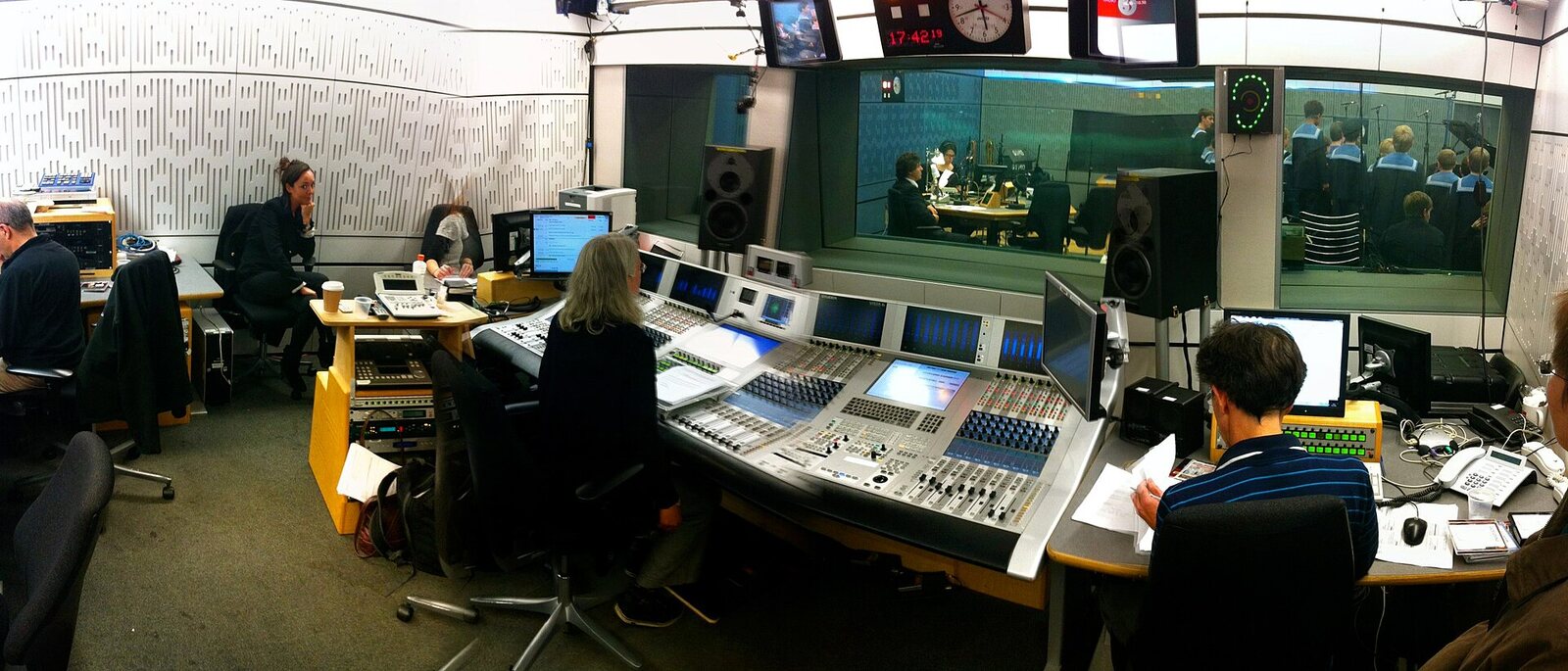
Sources: ACX, Audio Submission Requirements (help.acx.com); Spotify for Authors, Metadata and Assets Guide (last updated November 2024) and Uploading audiobooks to Spotify for Authors; Google Play Books Partner Center, Book file guidelines; Netflix Partner Help Center, Dubbing Premix Recording and Delivery Guidelines; BBC Radio Commissioning, Technical specification. All pages read on 15 November 2026. Photo: Steve Bowbrick, BBC Broadcasting House studio 80A, CC BY 2.0, via Wikimedia Commons.
Lee este artículo en español: ¿Solo mandar el WAV? Las especificaciones de entrega que publican audiolibros, doblaje y radio
Know something about this story, or spotted an error? Tell the newsroom.