
A Hand Span and a Little to the Side: The Mic Technique New Voice Actors Learn the Hard Way
Most people starting out in voice over spend weeks choosing a microphone and about four seconds deciding where to put their face. That’s backwards. Distance, angle and how still you stay change your sound as much as the mic does, and they cost nothing. Here’s what microphone makers, studio engineers and one of animation’s busiest voices say about the inches between your lips and the grille.
Engineers know the classic first session. A new voice actor leans right into an expensive condenser, the first “P” thumps like a dropped book, the bass swells on the soft lines, and by page three the level has wandered because the reader has drifted back in the chair. None of that is the microphone’s fault. It’s mic technique, and it’s a habit you can start building tonight.
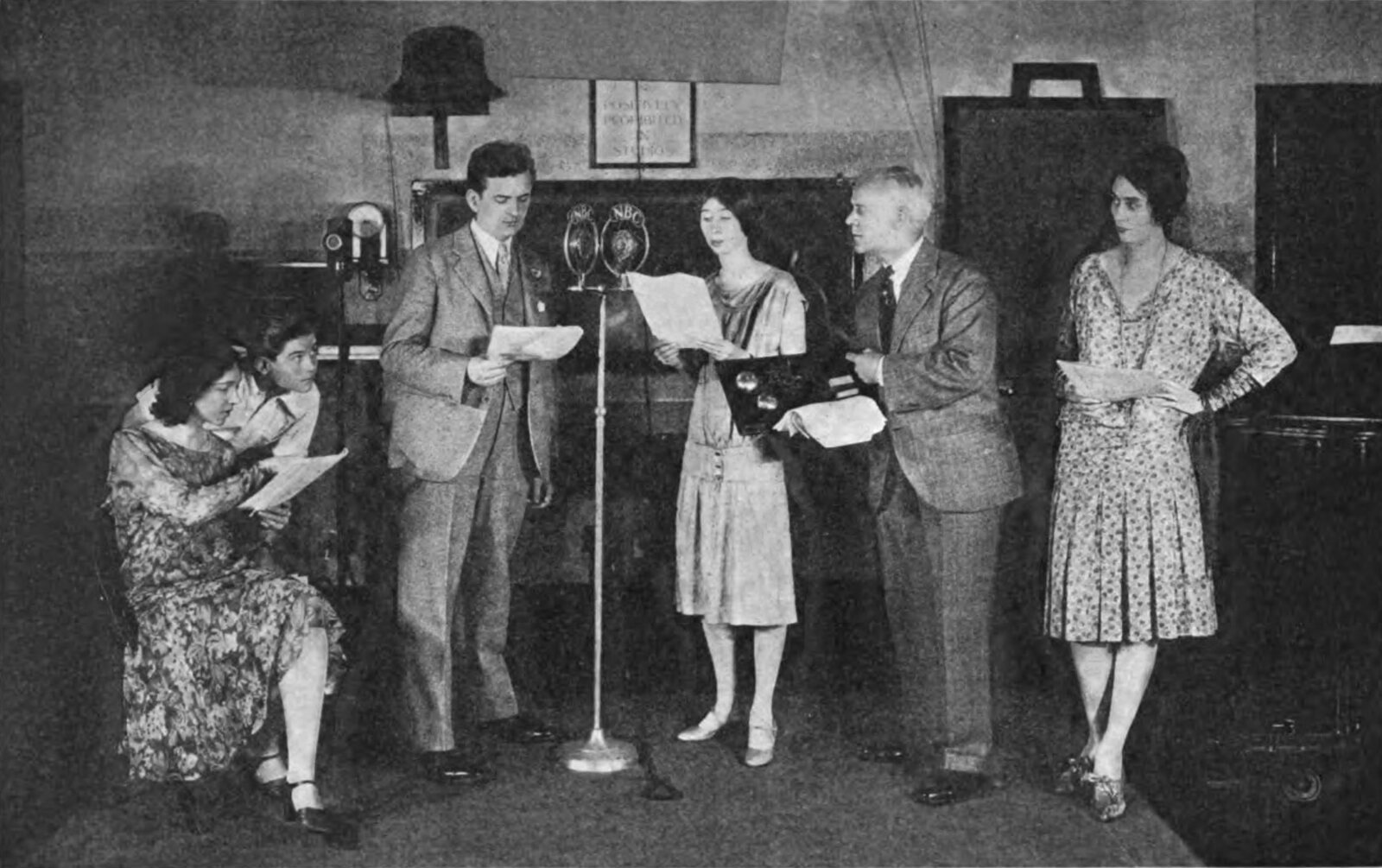
The radio actors in the photo at the top of this page had no pop screens and no plugins. They had one microphone, a script each, and the knowledge that stepping in or out a few inches was how you got louder or softer. The physics hasn’t changed since.
Start with a hand span, then stop moving
Ask five sources how far away to sit and you’ll get five slightly different numbers, a clue that the exact figure matters less than picking one and keeping it. A training handout from the UK voice school Gravy For The Brain puts the ideal at “One full hand span and 25 degrees off Axis to avoid plosives.” The Podcast Host’s Matthew Boudreau writes that “Good microphone position is roughly 6-8 inches from the mouth.”
ACX, Audible’s audiobook production platform, offers a trick for a closer, warmer read: “make a ‘hang ten’ sign with one hand, placing your thumb on your chin and your pinky on the mic. That’s roughly how far away you should be.” Whichever you choose, measure it with your own hand at the start of every session, so Tuesday’s audio matches Monday’s. The same ACX guide is blunt about it: “Pay attention to mic placement, temperature, and humidity, and work to keep them consistent.”
Closer sounds bigger, until it sounds like mud
Lean in to most voice over microphones and your voice gets deeper and fuller. That’s the proximity effect. Sound On Sound’s Sam Inglis defines it as “the tendency for low end to become exaggerated as a directional microphone is moved closer to the source.” Cardioid mics, named for their heart-shaped pickup, are directional, so they do it too.
The German microphone maker Schoeps explains that “The proximity effect causes the bass level to rise in pressure-gradient transducers when the sound source is close to the microphone,” and that it is “least noticeable with wide cardioids and most prominent with a figure-8 pattern.” In his long look at the effect, Inglis works out that, in theory, a figure-8 mic five centimeters from a small source is “boosted by more than 20dB at 100Hz.” That’s an extreme case, but it shows how fast the bass piles up.
A bit of that warmth is lovely on an intimate read. Too much and every line sounds like it was recorded inside a duvet, which is what ACX means when it warns that “Sitting too close to the mic can make your audio sound muddy and cause plosives.” If you want closeness without the boom, Inglis suggests “talking ‘across’ rather than directly into the mic” to tame it.
The puff you can’t hear in the room
Say “pop” with your palm in front of your lips. That little blast of air is harmless to a listener, but a microphone diaphragm takes it as a punch. Neumann’s home studio guide explains the name: “Linguists call such speech sounds ‘plosives’, because we create them by releasing a small blast of air.”
The useful thing about plosives is that they travel in a predictable direction. Sound On Sound’s technical editor Hugh Robjohns wrote that they “tend to occupy a relatively narrow ‘corridor’ extending directly forward and usually slightly downward from the mouth.” Get the microphone out of that corridor and most of the problem goes away before it starts.
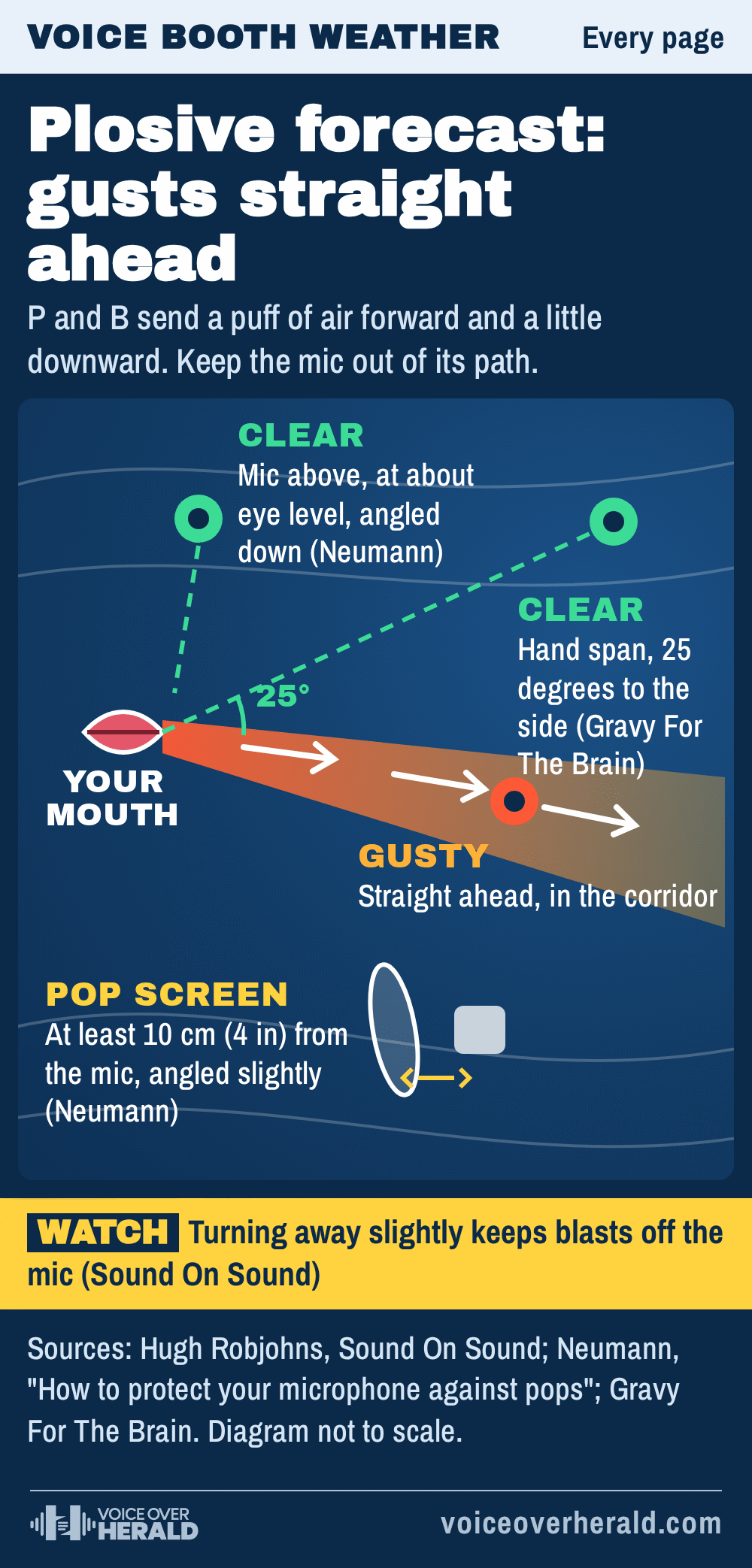
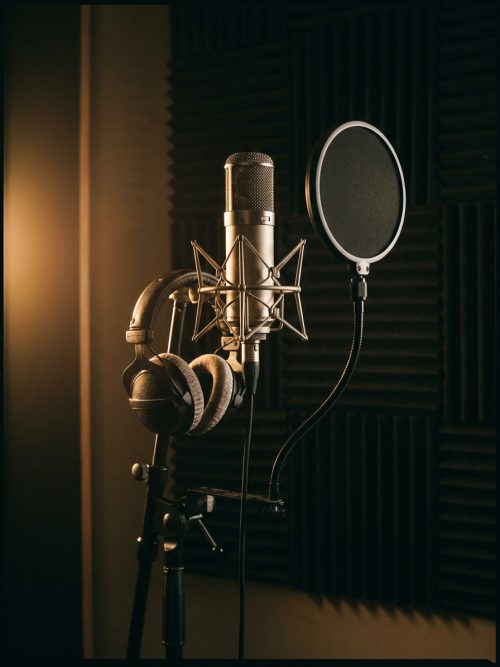
A pop screen is the second line of defense, and where you put it matters. Neumann’s advice is to “mount the pop screen at least 10 cm (4 inches) away from the mic,” and to “angle the pop screen slightly; this way you avoid sound reflections bouncing between the capsule and the pop screen.” It adds that “large pop screens sound more transparent than small ones.”
Robjohns, answering a reader’s question about pops, asks for “at least one inch of space between the mic’s diaphragm and the pop shield (and ideally two inches or more).” He also offers a fix that costs nothing at all: “turning away or side-stepping slightly so that plosive blasts aren’t directed straight at the microphone.”
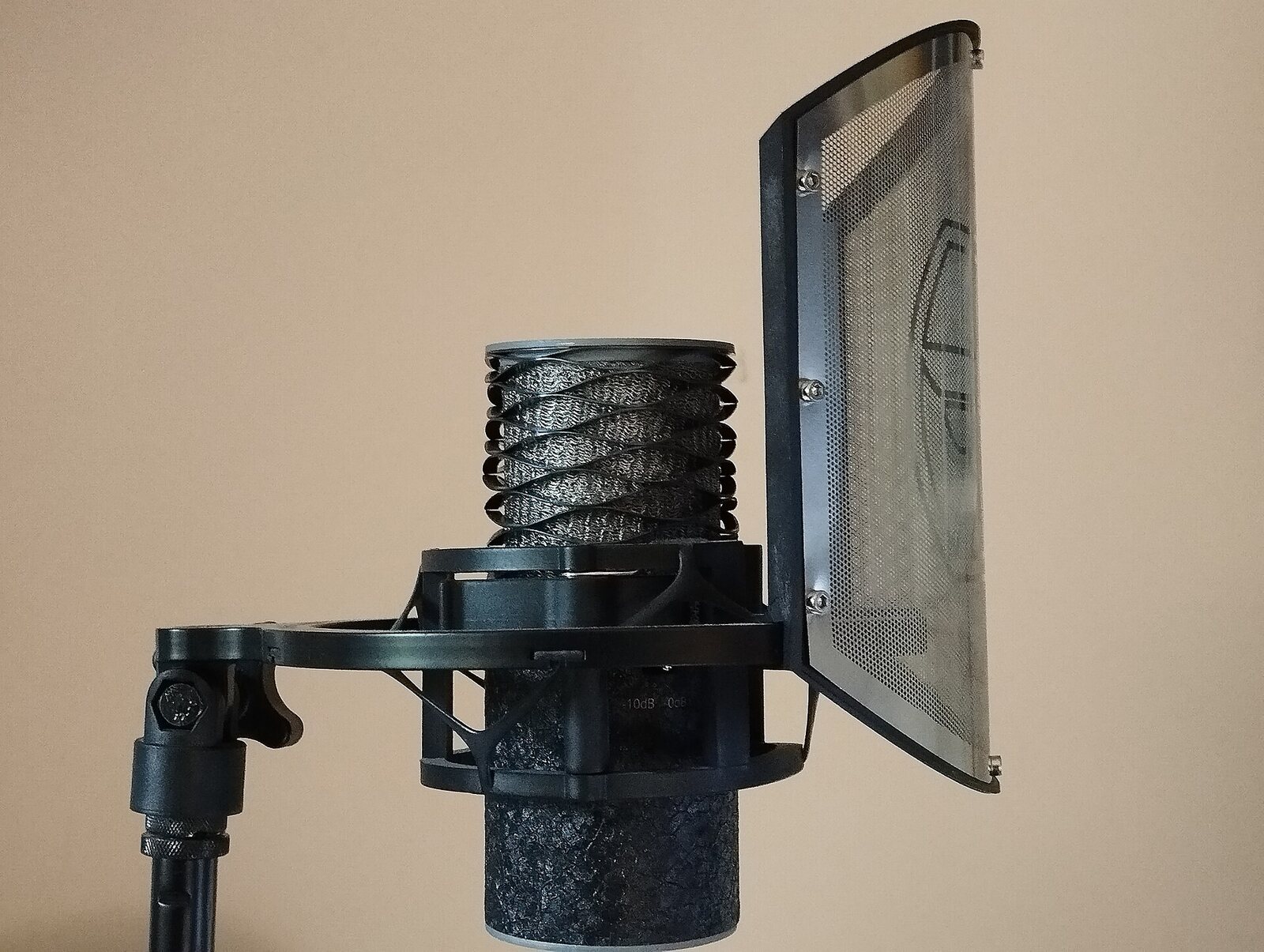
Photo: Bizzarle, Wikimedia Commons, CC BY-SA 4.0
Stay where you started
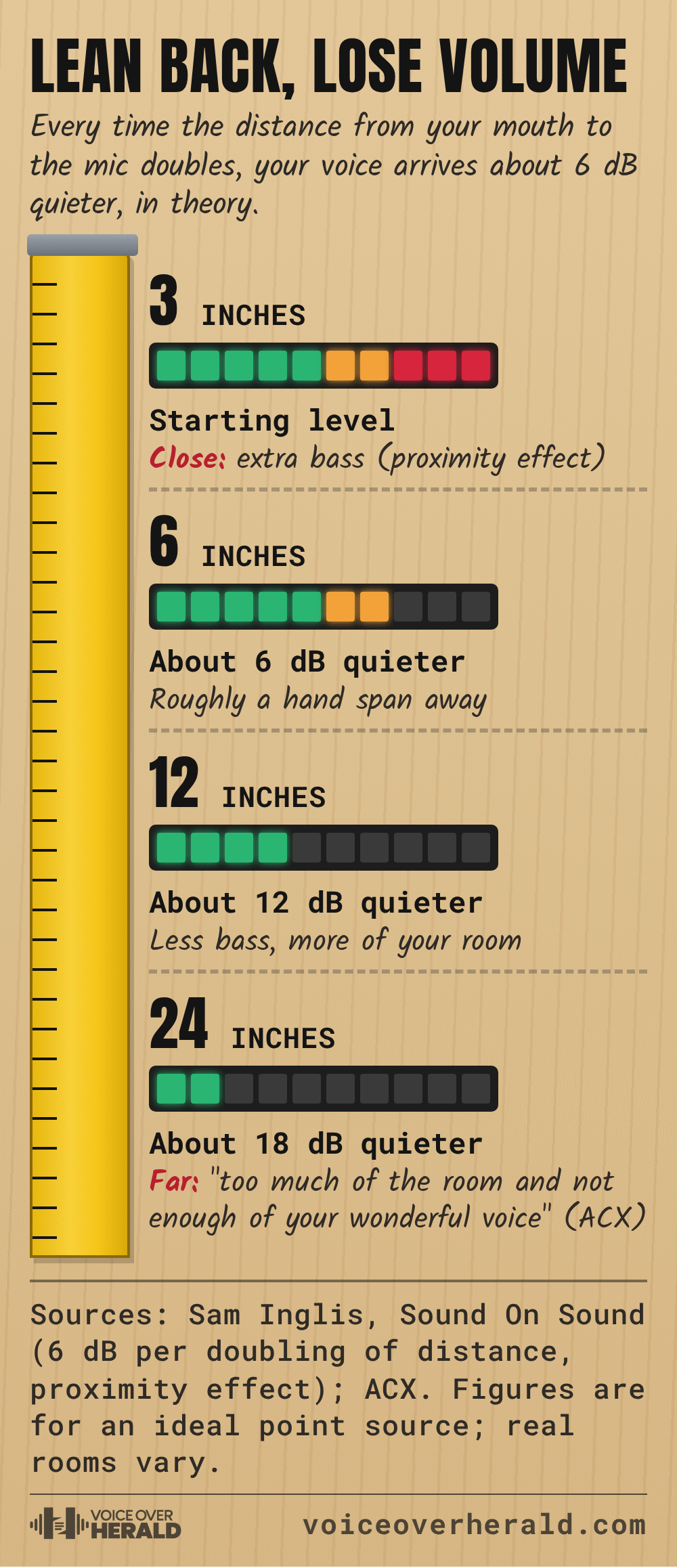
Here’s the bit beginners underestimate. Inglis notes that “the sound pressure level falls 6dB for each doubling of the distance from the source.” In plain terms, drift from six inches to a foot during a long read and, in theory, you’ve just got about 6 dB quieter. Your tone changes too, because you’ve moved out of the bass boost and further into the sound of your room.
Dee Bradley Baker, who voices Captain Rex and the clone troopers in Star Wars: The Clone Wars and Perry the Platypus in Phineas and Ferb, keeps a long guide for newcomers on his site, I Want To Be A Voice Actor. His in-studio rules start right where this article does: “Face the mic and keep your distance as consistent as possible for the engineer’s sake- unless you get suddenly louder, then back off a bit!”

Image: I Want To Be A Voice Actor, iwanttobeavoiceactor.com, October 28, 2026
He’s just as firm about where you look. Actors from on-camera work often turn toward a scene partner mid-line, and he points out that this moves you off the microphone’s sweet spot and usually earns a retake. Your eyes can wander. Your mouth stays put.
A simple way to make it stick is to mark your spot. Put a strip of tape on the floor for your feet, a mark on the stand at mouth height, and keep the chair at the same height if you sit. Check all three, then your hand span, before you press record. It takes ten seconds, and it makes pickups weeks later far easier to match.
Loud lines, whispers and everything else the mic hears
Staying consistent doesn’t mean staying frozen. A shout at your usual distance can overload the recording, so pros ease back as the volume rises and come in a touch for quiet, close moments. Baker’s guide asks for a warning first: if a read is going to swing from very soft to very loud, tell the engineer before the take starts, or you’ll be doing it again. At home you’re the engineer, so set your level on the loudest line in the script, not the first one.
Esses are the other trap. A harsh, hissy “s” is called sibilance, and Paul White’s advice in Sound On Sound is to “Pay particular attention to sibilance; if you can cure it by moving the mic position or changing the microphone type, that’s preferable to trying to salvage a bad recording using a de-esser.” Often a small turn of the mic, or of your head, softens it straight away.
 VoiceEditSuiteNewThe audio editor that learns how you breathe.Learns from numbers, never your audio. Never used to train AI.See how it works
And the microphone hears far more than your voice. White warns that “it’s almost impossible to turn pages without rustling paper sounds being picked up by the mic,” which is a good reason to read from a tablet or screen, or at least to lay your pages out so you never turn one mid-line. Gravy For The Brain’s handout covers the rest of you: “Soft cotton fabric is preferable,” take off jewelry, switch off your phone, and sip water before each take, because a dry mouth clicks and every click is a job for whoever edits the file.
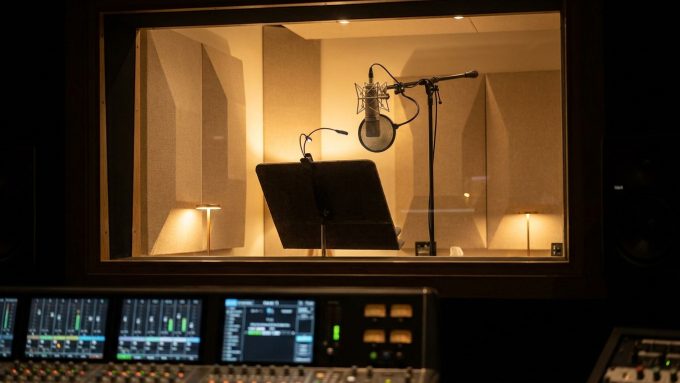
A professional dubbing booth has all of this solved already: a screen instead of loose paper, the script lying flat, a pop screen in front of the mic and a chair that doesn’t creak. Your spare room can work the same way.
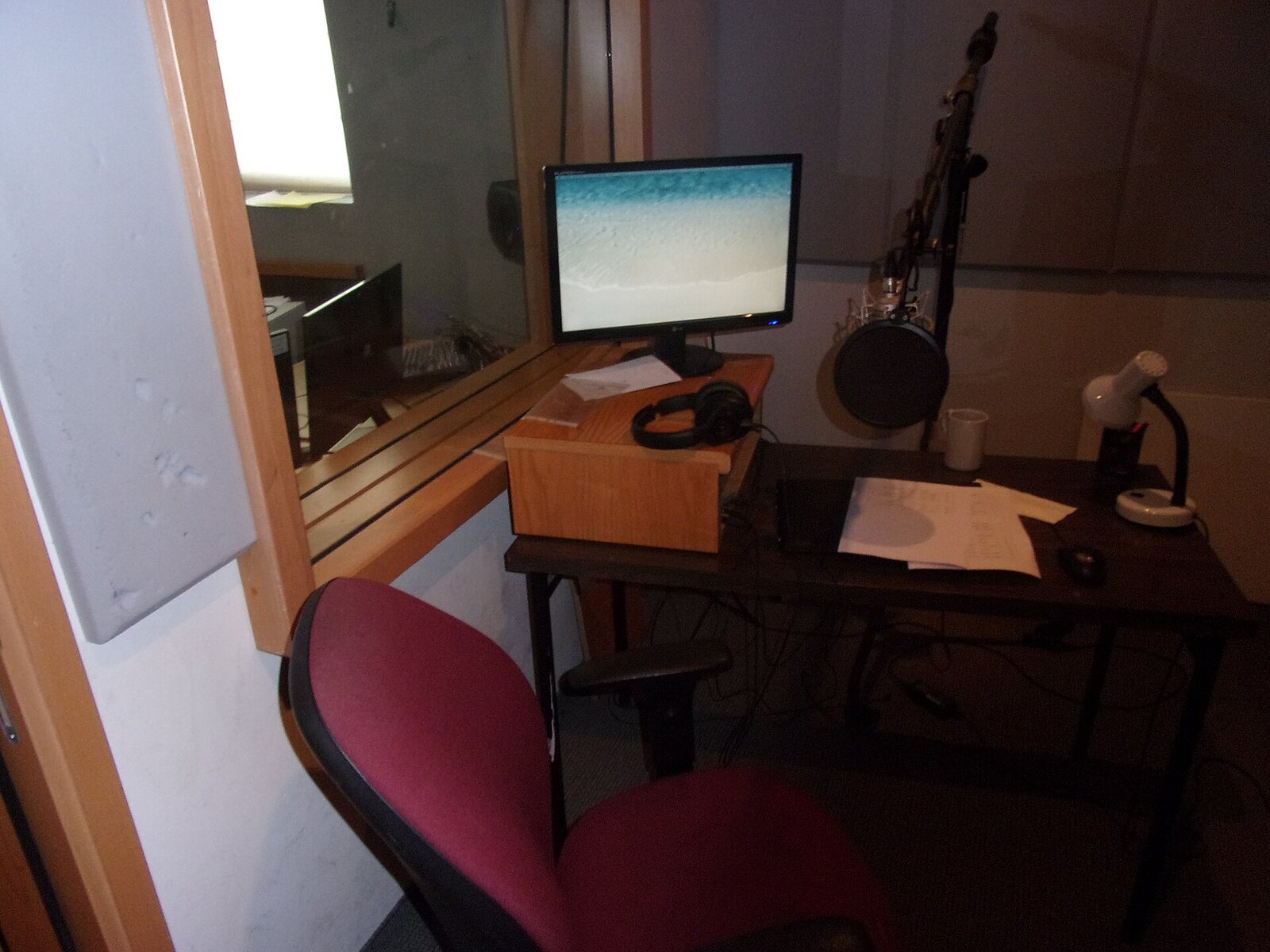
Photo: Tamirsofer, Wikimedia Commons, CC BY-SA 4.0
Try this tonight
Record the same line four times: at a hand span straight on, at a hand span about 25 degrees to the side, right up close, and at arm’s length. Load it with a “p” and an “s,” like “Pick up the perfect present this Saturday.” Listen back on headphones with your eyes closed. You’ll hear the boom up close, the room at arm’s length, the pop straight on, and how much cleaner the angled take is.
- Hand span. Measure from your mouth to the mic with your own hand, every session.
- Out of the corridor. Put the mic a little to the side or above your mouth, so your breath goes past it.
- Pop screen spaced. Keep it a few inches off the mic and angled slightly, as Neumann suggests.
- Marks set. Tape for your feet, a mark on the stand, the same chair height.
- Quiet body. Soft clothes, no jewelry, phone off, water within reach.
Then pick the position you liked best, mark it, and use it every day until you stop thinking about it. That’s mic technique. It won’t turn a flat read into a great one, but it’ll stop a great read being spoiled by a thump, a hiss or a drift, and that’s the kind of difference a listener feels long before they could name it.
Sources: Gravy For The Brain, “Warming up and Microphone Technique” (2013 handout); Matthew Boudreau, “Mic Technique for Podcasters,” The Podcast Host (2020); Scott Jacobi, “The Seven Habits of Highly Effective Audiobook Professionals,” ACX (2014); Sam Inglis, “Proximity Effect: In Theory And In Practice,” Sound On Sound (2021); Hugh Robjohns, “Recording The Spoken Voice,” Sound On Sound (1997) and his plosives Q&A, Sound On Sound (2013); Paul White, “Recording The Spoken Word,” Sound On Sound (1994); Schoeps, “Proximity Effect”; Neumann, “How to protect your microphone against pops”; Dee Bradley Baker, “In-Studio Do’s & Don’ts,” I Want To Be A Voice Actor, and his biography at deebaker.com. Main image: an early live radio play at NBC’s studios in New York, public domain, via Wikimedia Commons.
Lee este artículo en español: Un palmo y un poco de lado: la técnica de micrófono que los locutores novatos aprenden a la mala
Know something about this story, or spotted an error? Tell the newsroom.