




One Listener, Several Hours: How E-Learning Voice Jobs Are Briefed, Recorded and Paid
Somewhere right now, someone in an office is most of the way through a data privacy module with a pair of earbuds in. The voice in their ear belongs to a voice actor who recorded it at home, often in another country, from a script they saw for the first time that week. E-learning narration rarely makes the news, and it doesn’t need to: it’s steady, remote, repeat work. Here’s how those jobs are briefed, recorded, delivered and priced, from the narrators who do them and the course designers who write the scripts.
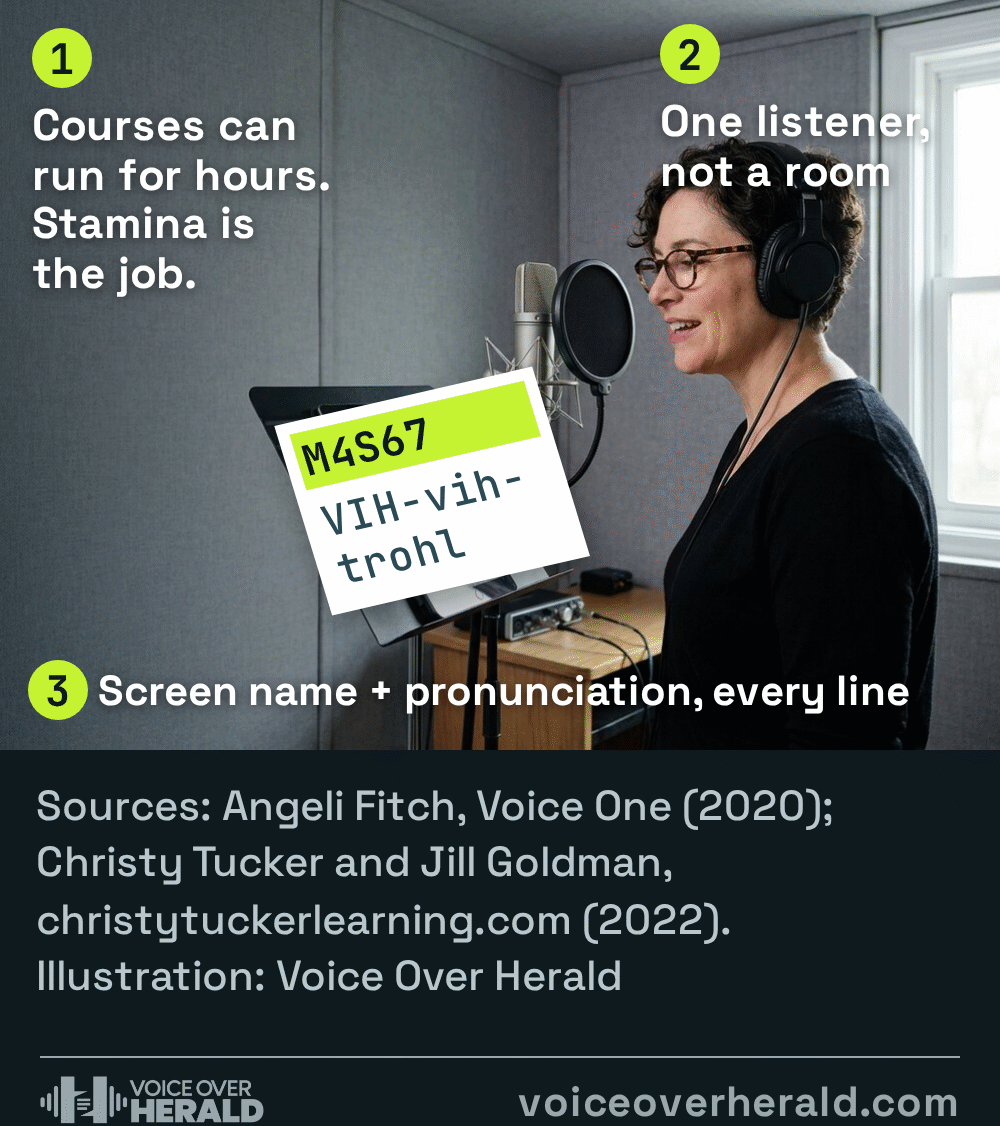
You’re talking to one person, not a room
The first thing to unlearn is the announcer. Angeli Fitch, a narrator who teaches e-learning at the New York studio Voice One, puts the difference in terms of length and distance. Corporate videos she voices run “maybe three to five minutes”, an explainer “about 90 seconds”. E-learning is something else.
“Now when you’re talking about e-learning, you’re talking to one person for an extended period, so you really can’t sound announcery,” she said in an interview published by Voice One. “It’s a very intimate thing because the people that you’re teaching usually have you in their ear, on their phone or laptop with ear buds in their ear.”
Dan Lenard, a commercial and e-learning voice actor who was president of the World-Voices Organization when he spoke to the trade publication The Learning Guild, came back to the same idea again and again. “It’s being human. People want to be taught like they’re talking to or listening to another human,” he said. He also warned that e-learning isn’t one sound: “There are different genres of material in eLearning. Each one of them requires a slightly different style, an understanding of the audience, and of the material.”
That’s why the job is still acting, even when the subject is cyber security or a compliance policy. Fitch is blunt about it: “I need to act like an expert in anything that I’m talking about.”
The script arrives written for the eye
Most e-learning copy is written by instructional designers and subject experts, not script writers, and it shows. “Technical writers, including eLearning creators, tend to write for the written word rather than for the spoken word,” Lenard said. A seasoned narrator can smooth that over without changing the meaning, but the bigger risk is words you can’t guess: drug names, acronyms, product names, years.
Instructional designer Christy Tucker asked voice actor Jill Goldman what she looks for in a script, and published the answers for other course writers. The best pronunciation guides, Goldman told her, spell the word out phonetically with capitals on the stressed syllable and, where possible, link to audio of the word. Tucker’s examples include a drug name written as VIH-vih-trohl and an acronym with the note “Say N-I-Triple A”. Numbers count too: is 2010 “two thousand ten” or “twenty ten”?
Goldman added a warning about online pronunciation clips: “sometimes these are not the best pronunciations, so be sure to listen first and know it’s as you want it. If the script is in English, do you want a British English pronunciation? North American? Australian? Please try to provide a link to someone reading it in the accent you’d like to have it.”
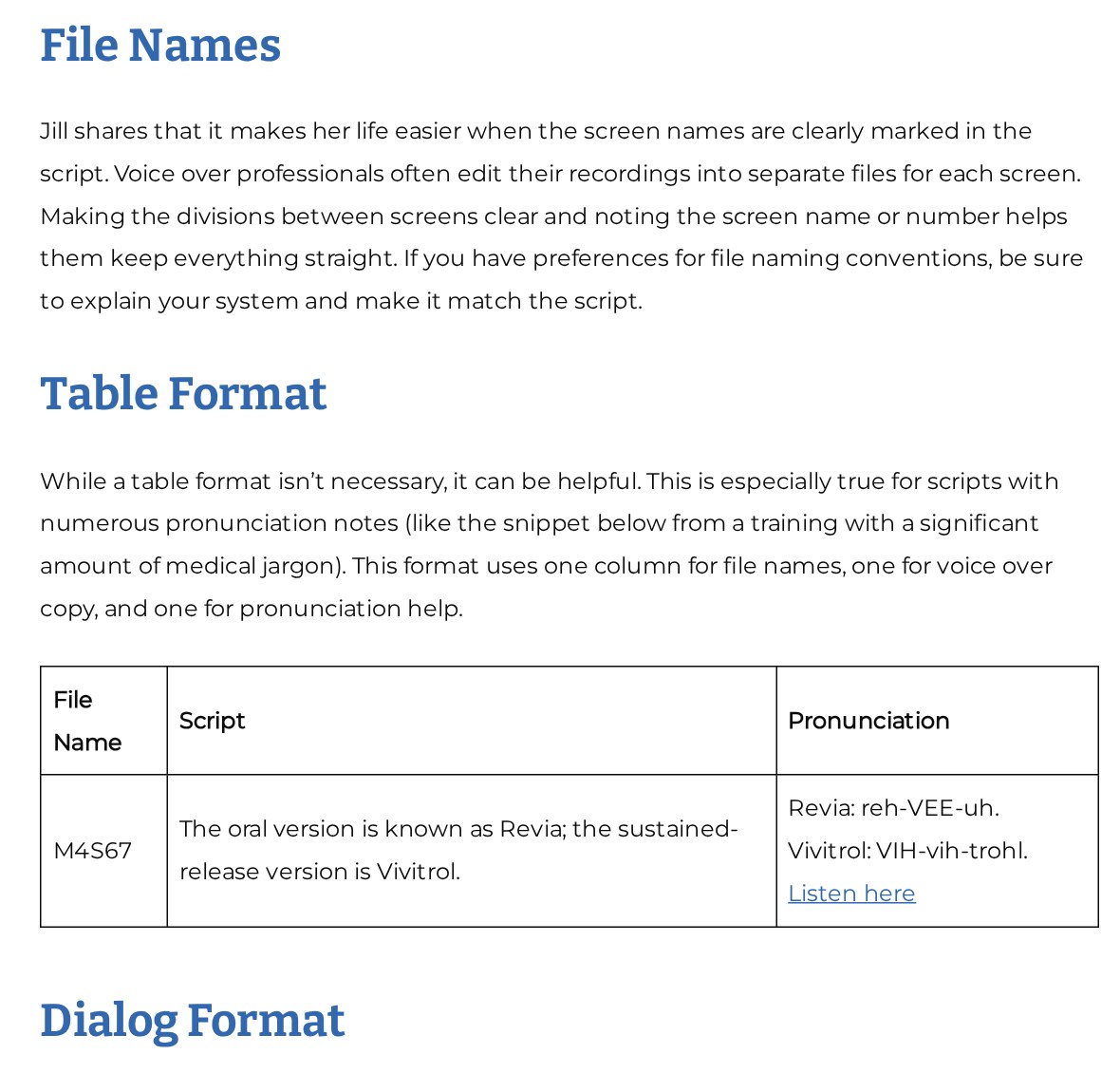
Image: Christy Tucker, christytuckerlearning.com, November 7, 2026
Not every client sends a guide like that. When one doesn’t, the fix is simple and quick: list every word you’re unsure of and ask before you record, not after you deliver.
Recording: a cold read that can’t sound cold
Here’s the part that surprises newcomers. A long course often doesn’t leave time to rehearse the whole script, so the skill is reading it cold and sounding like you’ve known it for years.
“Some of these courses are half an hour to several hours long. I do not read the entire script ahead of time,” Fitch said. “I only scan through it to see if I have any questions for my client such as pronunciations or if I see any typos I need to ask about.” She adds that lately she’s seen a lot of “30-minute or 15-minute modules”, but whatever the length, “you have to have consistency in how you sound”. Her summary: “Having stamina and consistency is a must.”
Consistency is what lets a module recorded on Tuesday sit next to pickups recorded weeks later without a join you can hear. Same mic, same position, same room, and a note of your settings.
Dull material is where a good read earns its fee. “If the material is inherently dull or puts people to sleep, there’s a way to bring it to life,” Lenard said. “Bringing the human factor to it can be just a subtle little delay or pause and how they draw out a word. That can just make an incredible difference in how listenable something is.”
When a client is particular and the brief is vague, Lenard’s advice is to ask for a live directed session rather than trade takes by email. “Going back and forth with five or six emails drives everyone crazy. By doing a live session, you do it in one session.”
Delivery: one file per screen, in the format the course needs
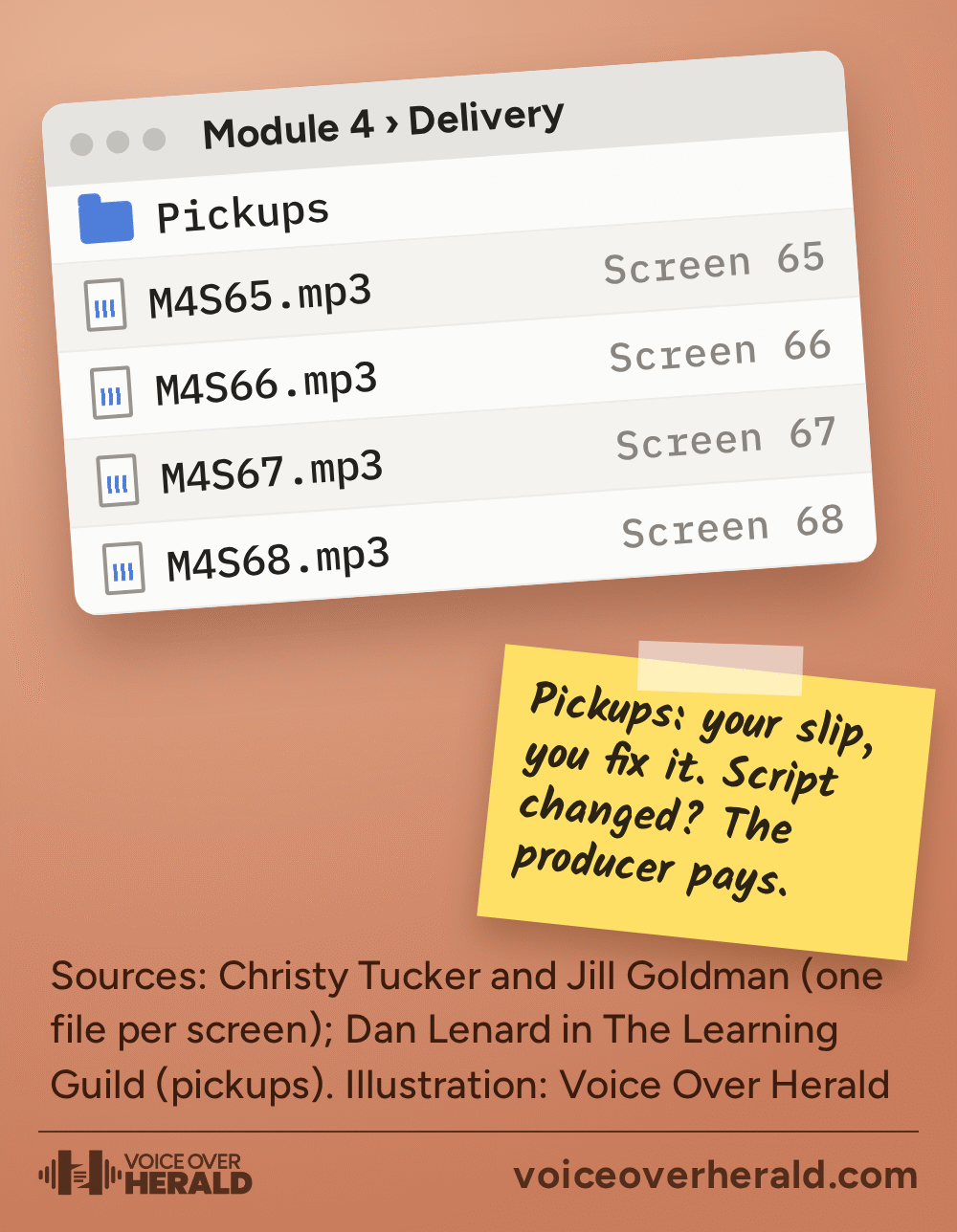
E-learning is built screen by screen, so the audio usually is too. Goldman told Tucker that voice actors often edit their recordings into separate files for each screen, which is why she likes screen names clearly marked in the script. Tucker’s own advice to course writers is to explain any file naming system and make it match the script. If the brief doesn’t say, ask, and name files exactly as the script labels the screens.
Then ask which authoring tool the course is built in and what format it wants, because the tool can change what happens to your audio. Articulate’s support pages for its Storyline 360 software explain that the software compresses audio in published courses by default so they download faster. Only MP3 files can be set to skip that compression, and Articulate notes that compressed audio publishes in mono. Since build 3.33.20625.0, Storyline 360 publishes all audio at 44,100 Hz.
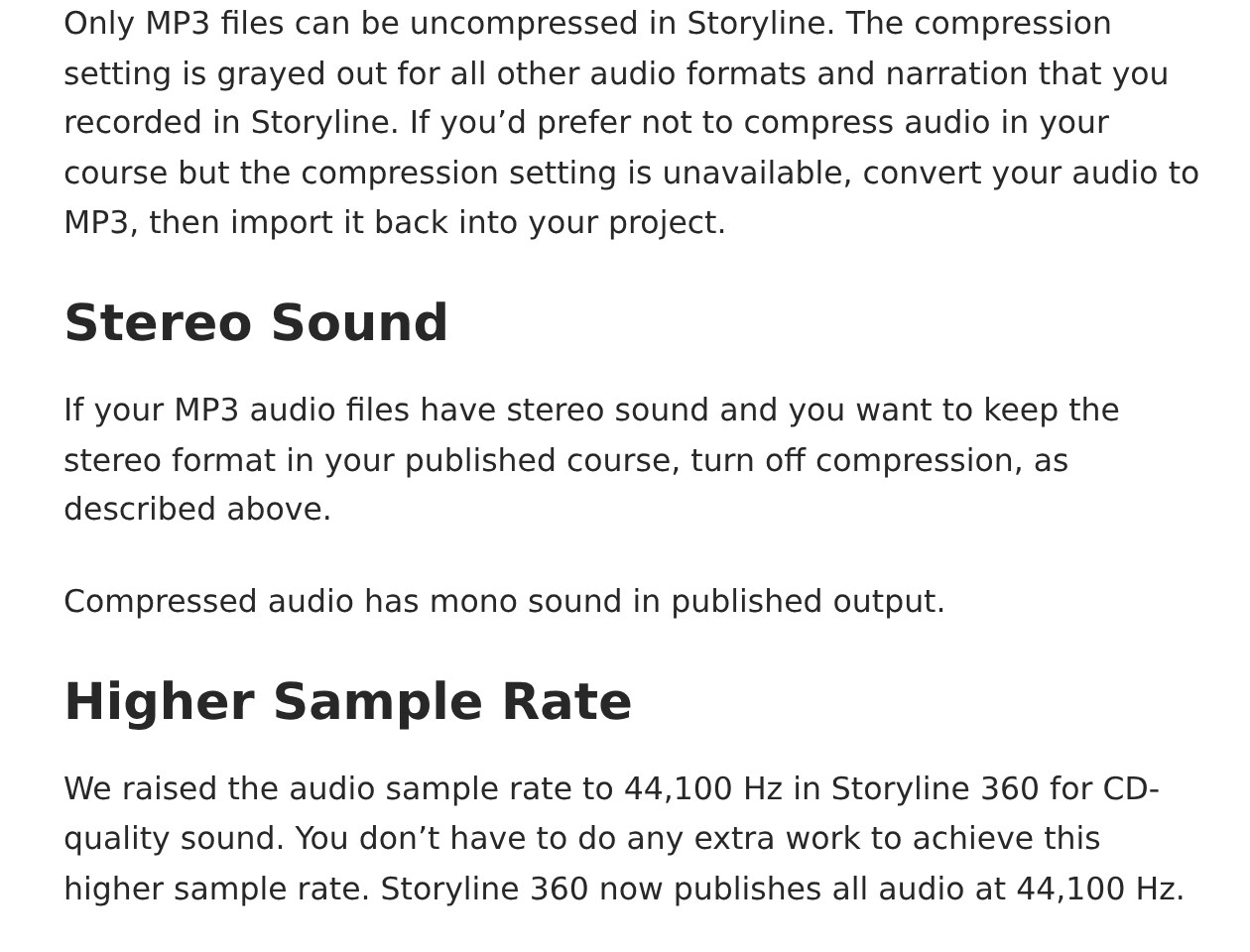
Image: Articulate, articulatesupport.com, November 7, 2026
So the format question isn’t fussiness. A course designer who wants uncompressed stereo audio in Storyline needs MP3s, and they’ll be glad you asked before delivery.
Loudness targets, noise floor and peak limits vary by client, so they belong in the brief too. If a brief quotes numbers you don’t recognise, Voice Over Herald’s guide to the loudness numbers in your briefs explains where they come from.
Pickups, and how e-learning is priced
E-learning scripts often go through legal or compliance review, sometimes after recording, so changes are common. Lenard laid out the usual rule. “If the voice actor makes a mistake, it’s on the actor. If the script is wrong or if the script has to be changed, it’s on the producer.” And for material that goes through compliance, “there’s normally a negotiated fee for pick ups.” If a client wants a whole new direction beyond what pickups can fix, “the producer will have to pay again.”
 VoiceEditSuiteThe real cost of a script change.Paste the recorded script and the client's new version. Revision Checker finds every change, counts the words you'll actually re-record and maps it to a fee.See how it worksYour recordings are never used to train AI.
Agree that before you record. A line in your quote saying what counts as a pickup, and what it costs, saves an awkward email later.
As for the fee itself, e-learning has its own structure. The Global Voice Acting Academy, which publishes a free rate guide used widely by working voice actors, explains on its rates page that “eLearning is commonly paid per word or per finished minute while Audiobooks are paid per finished hour.” A per finished minute rate is based on the finished, edited run time, not the hours you spent in the booth. Its rate guide lists e-learning both ways, and GVAA describes the guide as educational, not a fixed price list.
The practical difference matters. Per word, you can quote the moment you see the script. Per finished minute, the run time isn’t known until the edit is done, so many narrators estimate from the word count. Either way, check whether the fee covers the usage the client has in mind (internal training is the norm), how many rounds of pickups are included, and when you’ll be paid. If that last part is the sticking point, our guide to payment terms for remote voice work covers it.
- Who’s the learner? New hires, doctors and engineers each need a different read.
- Is there a pronunciation guide? Phonetic spellings, audio links and the accent you want.
- How should files be named? One per screen, matching the script’s screen names.
- What tool and format? Storyline, for example, can only skip compression for MP3s.
- What does the fee cover? Per word or per finished minute, usage, and pickups after compliance review.
E-learning won’t make anyone famous. What it offers is long scripts, repeat clients who come back module after module, and work that rewards exactly the things a good home studio narrator already does well: a clean room, a steady voice, careful prep and the kind of read that makes a learner forget they’re being trained.
Sources: Danny Scott, “Angeli Fitch on E-Learning,” Voice One, 4 September 2020; Bill Brandon, “How a Professional Voice Actor Can Improve Your eLearning,” The Learning Guild, 2 September 2022 (interview with Dan Lenard); Christy Tucker, “Formatting Tips for Voice Over Scripts,” christytuckerlearning.com, 8 February 2022 (tips from Jill Goldman); Articulate, “Storyline 360: Uncompressed Audio, Stereo Sound, and Higher Sample Rate,” last updated 16 January 2026; Global Voice Acting Academy, “Rates and Negotiation.”
Lee este artículo en español: Una persona, varias horas: cómo se encargan, se graban y se pagan los trabajos de voz para e-learning
Know something about this story, or spotted an error? Tell the newsroom.